Your Customer ID is a unique identifier for your game account. It helps our Support team locate your account quickly and assist you with things like restoring progress, investigating purchases, or troubleshooting issues.
To find it:
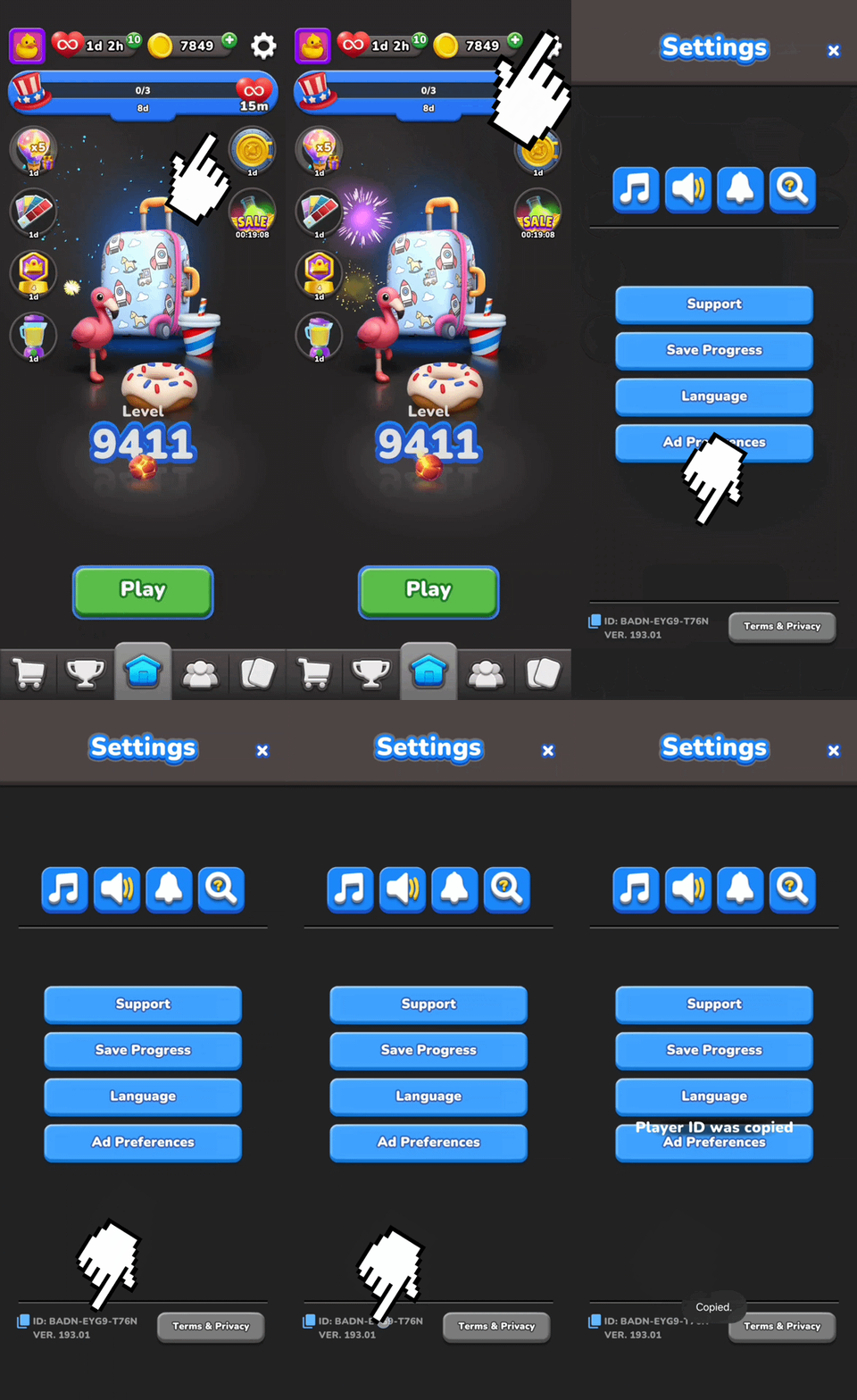
Open your game and tap the cogwheel icon ⚙️ to access Settings.
Look at the bottom-left corner of the Settings screen, where you'll see your Customer ID (for example: XXXX-XXXX-XXXX).
Tap it to copy it!
Tip: We recommend taking a screenshot or writing down your Customer ID. Having it handy can help us assist you much faster if you ever need support.