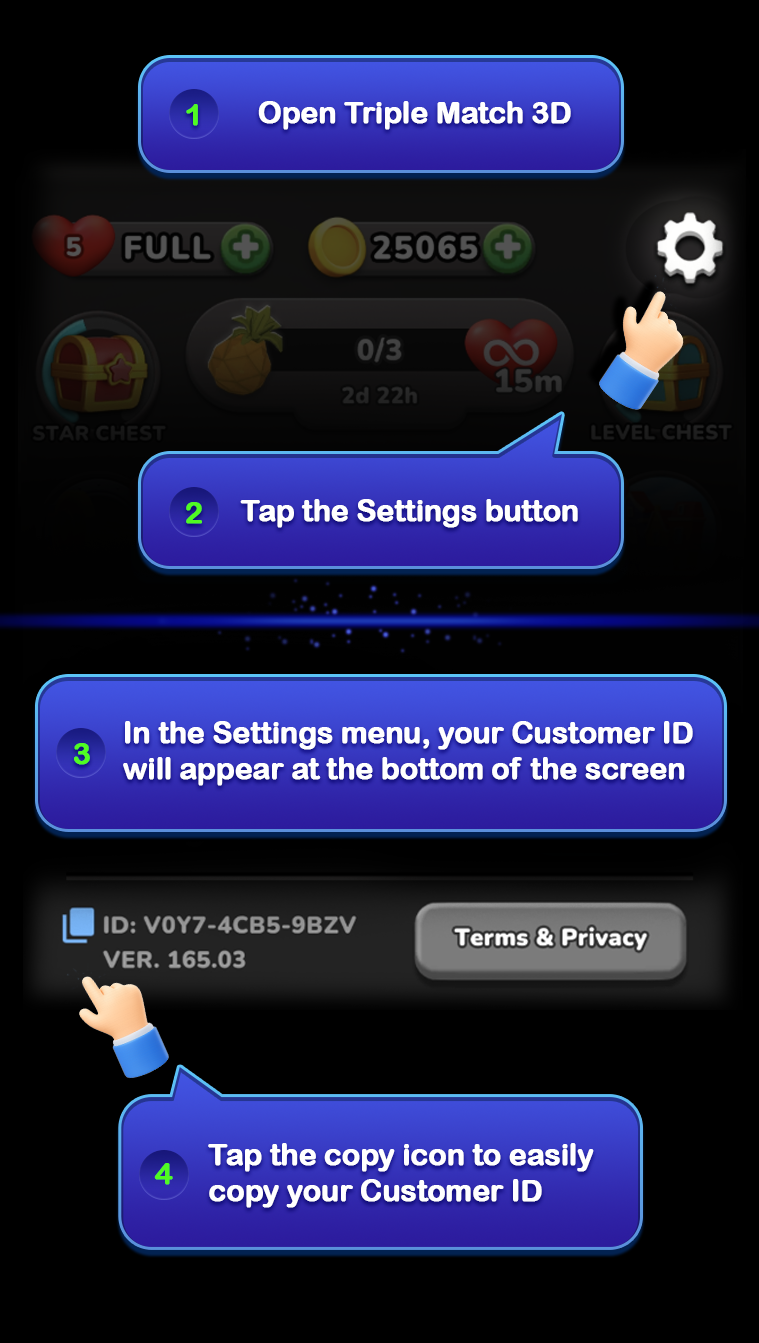
- Open your game and tap the cogwheel icon ⚙️ to access Settings.
- Look at the bottom-left corner of the Settings pop-up and you'll see your Customer ID there (e.g., XXXX-XXXX-XXXX)
- Tap to copy it!
Tip: Write it down or take a screenshot! Having it handy can help us assist you faster in the future.